Backing up Google Drive to a VPS with rclone
Contents
I use Google Drive because it is convenient and I am too lazy to move everything somewhere else right now. But one thing kept bothering me: what happens if I lose access to the account?
The files may still exist somewhere in Google land, but that does not help me much if I cannot get to them.
So I made a small escape hatch: a backup on infrastructure I own or rent. In my case, a VPS disk.
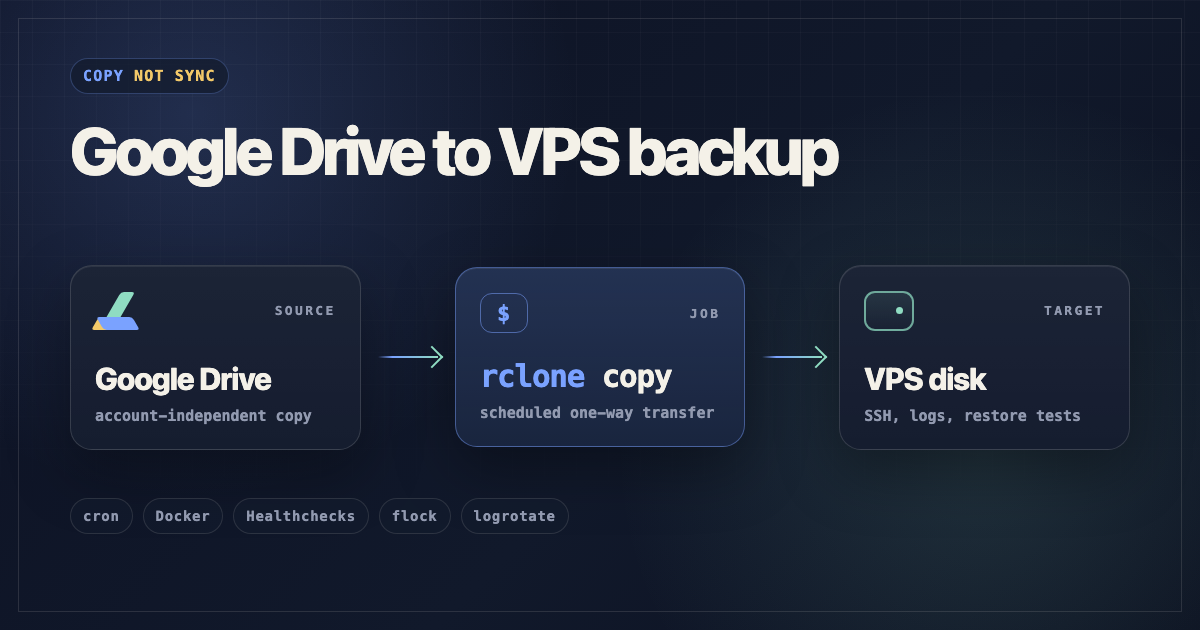
TLDR: A cron job runs
rclone copyin Docker.flockprevents overlapping runs, Healthchecks.io pings me when it stops, andlogrotatecleans up the logs. Runbook: gdrive-backup-runbook.static.miho.dev.
What did I want from this?
I did not want to replace Drive. It is still the place where the files live and where I expect to work with them.
I wanted a backup outside Google, on infrastructure I own or rent.
The important choice here is rclone copy. If a file is deleted in Drive, copy does not delete the local VPS copy. That is exactly the behavior I want for this setup.
Of course, this also means the VPS folder is not a clean mirror. Changed files can overwrite older local versions, and there is no point-in-time history. If I needed that, I would probably put restic or borg around the copied data.
The duct tape backup job
Cron starts the backup on a schedule:
15 */6 * * * /usr/bin/flock -n /mnt/backupdrive/.backup.lock /mnt/backupdrive/backup.sh >> /mnt/backupdrive/cron.log 2>&1
Read from left to right, it looks like this:
15 */6 * * *
Run every 6 hours, at minute 15.
/usr/bin/flock -n /mnt/backupdrive/.backup.lock
Take a lock before running. If the lock exists, exit instead of waiting.
/mnt/backupdrive/backup.sh
Run the backup script.
>> /mnt/backupdrive/cron.log 2>&1
Append stdout and stderr to the cron log.
flock is the small but important part here. It exits immediately if the previous backup is still running, so cron does not keep stacking more backup jobs.
The script itself runs rclone copy inside Docker. Docker is here mostly so I do not need to install rclone directly on the server. The container gets the rclone config, the backup destination, and the log directory through mounts:
/mnt/backupdrive/rclone-config -> /config/rclone
/mnt/backupdrive/data          -> /data
Then Healthchecks.io gets pinged when the job starts, when it succeeds, and when it fails. On failure, the script sends the end of the rclone log with the ping.
Google OAuth can bite you
I used my own Google OAuth client because rclone's shared credentials can hit shared rate limits.
The click path is Google Cloud project -> Drive API -> OAuth consent screen -> OAuth client. That gives rclone a client ID and client secret.
Move the OAuth consent screen to In production before generating the token rclone will use on the VPS.
If the app is still in Testing mode, Google refresh tokens expire after 7 days. For a cron job, that means everything works for a week and then fails.
I do the browser part on a laptop because the VPS is headless:
rclone authorize "drive" "CLIENT_ID" "CLIENT_SECRET"
Then I paste the printed token into the rclone config on the VPS.
For this job, drive.readonly is enough. The job reads from Drive and writes to the VPS disk. Keep the real client secret and token out of notes, tickets, blog posts, and chat.
One small Docker mount trap
Even with read-only Drive access, rclone writes refreshed token info back to rclone.conf.
So the config mount should be writable:
-v /mnt/backupdrive/rclone-config:/config/rclone
Avoid this:
-v /mnt/backupdrive/rclone-config:/config/rclone:ro
The read-only version can work at first and then fail later when rclone refreshes the token but cannot save the updated config.
Another easy way to break cron
I run the container as UID 1000:
--user 1000:1000
That means the mounted host paths need to be writable by 1000:1000:
sudo chown -R 1000:1000 /mnt/backupdrive/rclone-config /mnt/backupdrive/data
sudo chmod 700 /mnt/backupdrive/rclone-config
One easy mistake is running rclone once as root during setup. If rclone.conf ends up owned by root, fix it before relying on cron:
sudo chown 1000:1000 /mnt/backupdrive/rclone-config/rclone.conf
Otherwise the scheduled job can fail when it tries to save refreshed token info.
The actual copy command
Inside the container, the rclone command is small:
rclone copy gdrive:ImportantFolder /data/ImportantFolder \
  --log-file /data/rclone.log \
  --log-level INFO
In Docker it looks like this:
DOCKER_IMAGE="rclone/rclone"

docker run --rm \
  --user 1000:1000 \
  -v /mnt/backupdrive/rclone-config:/config/rclone \
  -v /mnt/backupdrive/data:/data \
  "$DOCKER_IMAGE" \
  copy gdrive:ImportantFolder /data/ImportantFolder \
    --config /config/rclone/rclone.conf \
    --log-file /data/rclone.log \
    --log-level INFO
For a real setup, I would pin the Docker image version instead of relying on the floating default.
Healthchecks.io
A backup that silently stopped is worse than an obvious failure.
Healthchecks.io gives me a ping URL. The script pings $HC/start when it begins, $HC when it succeeds, and $HC/fail when rclone exits with an error.
This is the script shape from the runbook:
#!/usr/bin/env bash
set -u -o pipefail

REMOTE_NAME="gdrive"
REMOTE_FOLDER="ImportantFolder"
BASE="/mnt/backupdrive"
HC="https://hc-ping.com/YOUR-CHECK-ID"
DOCKER_IMAGE="rclone/rclone"
RUN_AS="1000:1000"
TRANSFERS="4"
CHECKERS="8"

DOCKER_USER_ARGS=()
if [ -n "$RUN_AS" ]; then
  DOCKER_USER_ARGS=(--user "$RUN_AS")
fi

curl -fsS -m 10 --retry 3 "$HC/start" >/dev/null 2>&1 || true

docker run --rm \
  "${DOCKER_USER_ARGS[@]}" \
  -v "$BASE/rclone-config:/config/rclone" \
  -v "$BASE/data:/data" \
  "$DOCKER_IMAGE" \
  copy "$REMOTE_NAME:$REMOTE_FOLDER" "/data/$REMOTE_FOLDER" \
    --log-file=/data/rclone.log \
    --log-level INFO \
    --transfers="$TRANSFERS" \
    --checkers="$CHECKERS"

EXIT=$?
if [ $EXIT -eq 0 ]; then
  curl -fsS -m 10 --retry 3 "$HC" >/dev/null 2>&1 || true
else
  curl -fsS -m 10 --retry 3 \
    --data-raw "$(tail -c 10000 "$BASE/data/rclone.log" 2>/dev/null)" \
    "$HC/fail" >/dev/null 2>&1 || true
fi
exit $EXIT
The curl ... || true parts are intentional. If Healthchecks has a temporary network problem, I still want a successful backup to exit successfully.
What about logs?
The logs I care about live here:
/mnt/backupdrive/data/rclone.log
/mnt/backupdrive/cron.log
logrotate copies, rotates, compresses, and eventually deletes old log files according to this rule:
/mnt/backupdrive/data/rclone.log /mnt/backupdrive/cron.log {
    weekly
    rotate 8
    compress
    missingok
    notifempty
    copytruncate
}
copytruncate is useful here because the script writes to fixed log files.
Some things to keep in mind
It has tradeoffs, and I am okay with that.
Changed files can overwrite the local copy. Deleted Drive files can pile up locally. OAuth credentials live on the VPS. Google-native exports need to be tested with real examples.
I can still SSH into the VPS, list files, read logs, rerun the command, rotate credentials, and understand the whole thing later.
If you want the full runbook, I put it here:
gdrive-backup-runbook.static.miho.dev
Source is on GitHub: infomiho/gdrive-backup-runbook